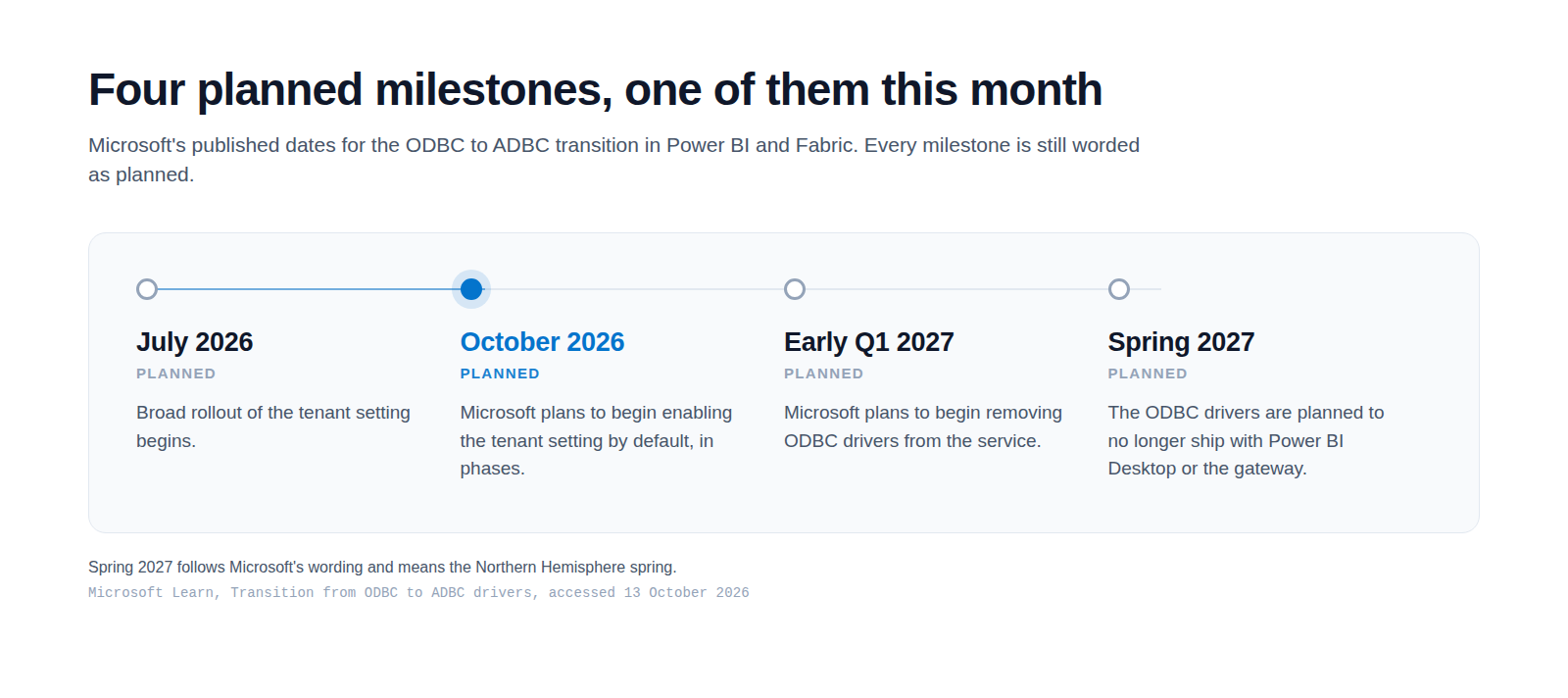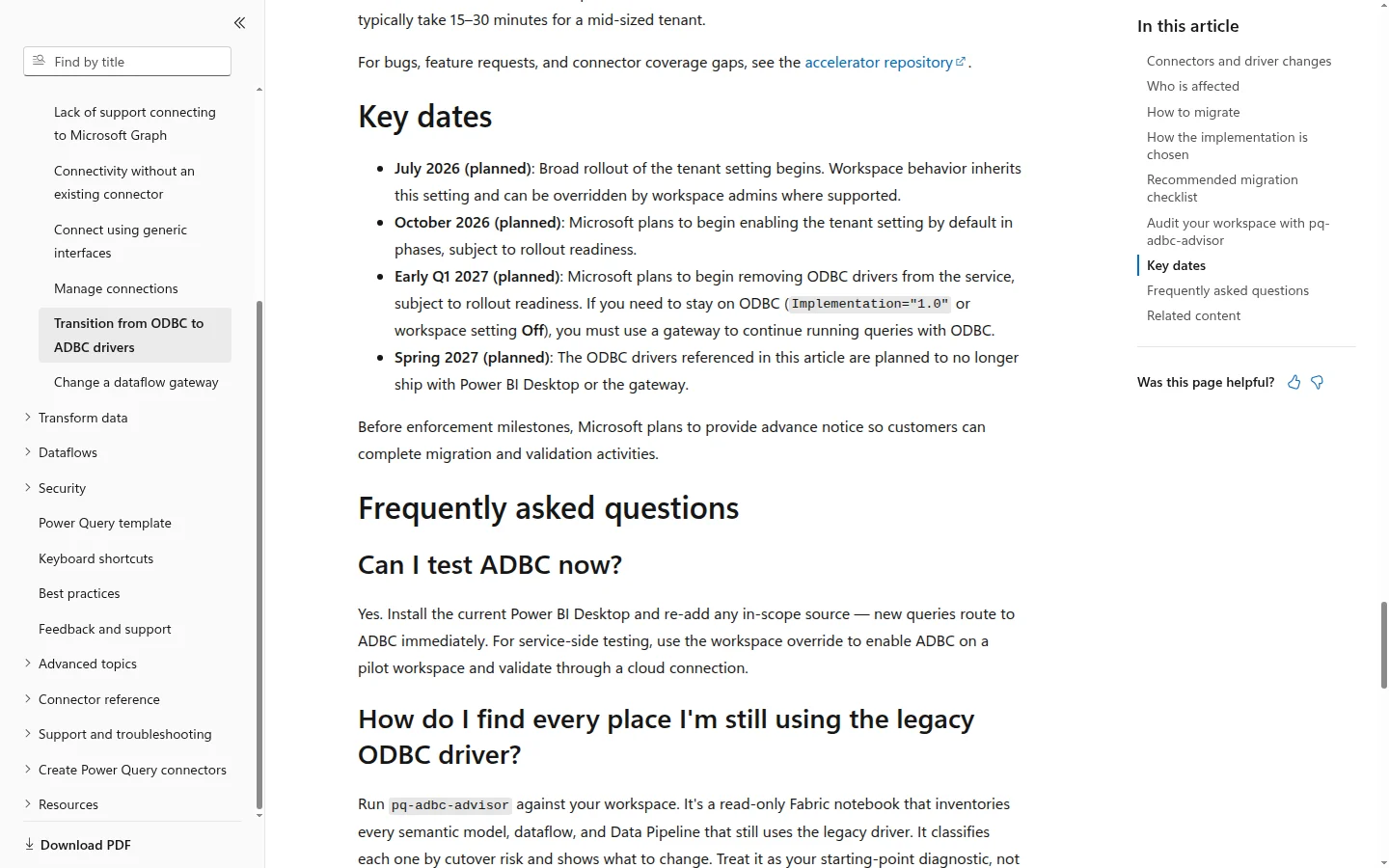
Nothing looks wrong in your Fabric tenant today. That is exactly the problem. The ODBC to ADBC transition is documented and dated, and October 2026 is the month Microsoft planned to start enabling it by default across Power BI and Fabric tenants, in phases. Microsoft has not said that rollout has begun. The tenant setting that drives the change is still Disabled by default, so your refreshes still run on the old drivers. The work to do while that is true is an inventory, not a migration programme. For most estates it is an afternoon of effort.
What is actually changing
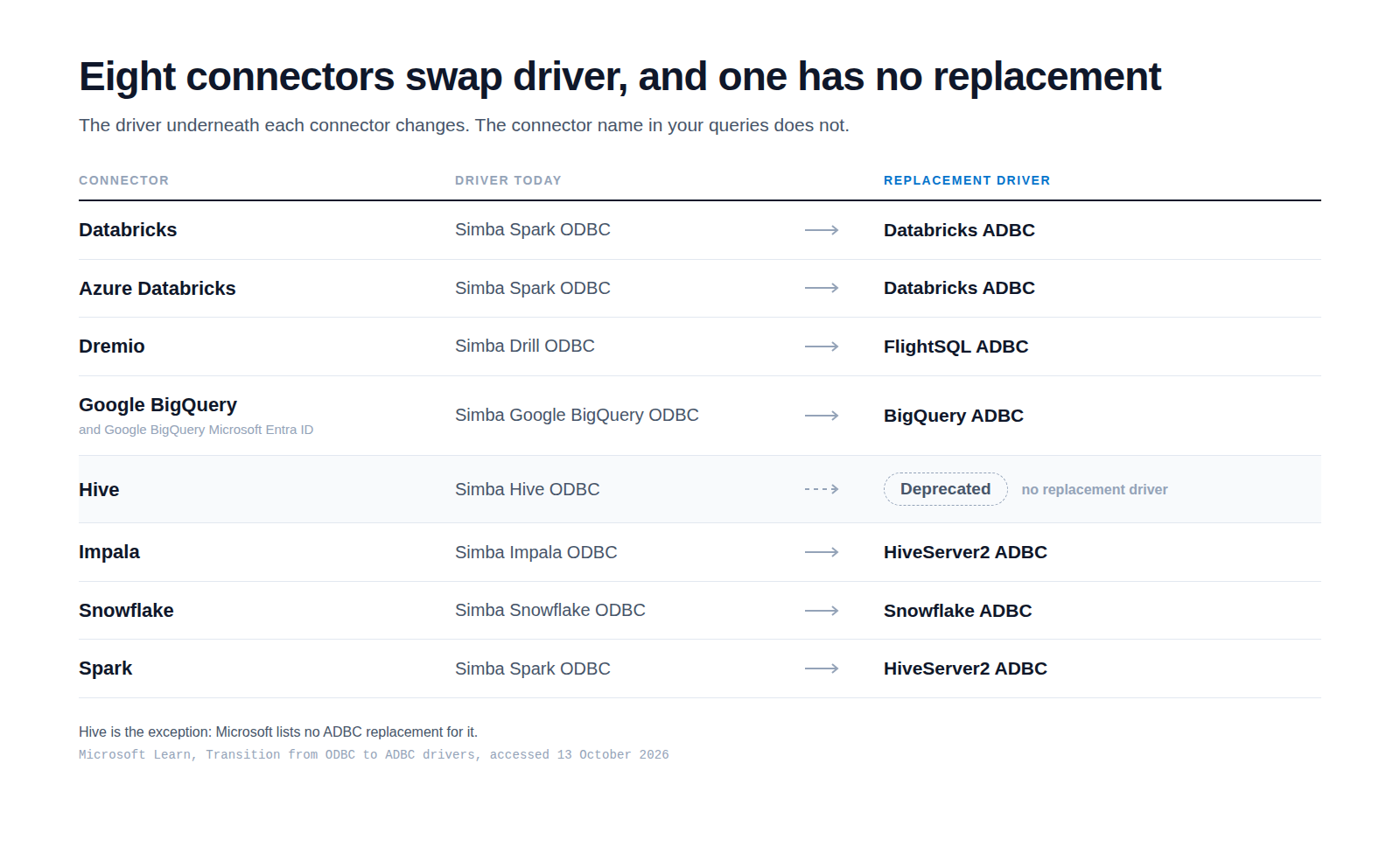
Microsoft is replacing the ODBC drivers that sit under several cloud connectors in Power BI and Microsoft Fabric. In their place go Apache Arrow Database Connectivity drivers, shortened to ADBC. The connector names in your queries do not change. What changes is the driver underneath, and with it the behaviour of anything that depended on the old one.
The scope is narrower than it sounds, and worth reading twice. Microsoft says the change applies only to the connectors it lists, and that it does not change behaviour for the ODBC connector when you use a separately installed ODBC driver. This is about the embedded drivers that ship with Power BI. The reason Microsoft gives is throughput and safety: ADBC offers standard interfaces for working with Arrow data, which it describes as especially efficient at fetching large datasets with minimal overhead and no copying, and the new drivers add memory safety and garbage collection.
One tenant setting, and one pin inside your queries
One tenant setting carries the default. It is named Users can connect to data sources by using Apache Arrow database connectivity (ADBC). Disabled is the default today, and disabled selects the legacy ODBC drivers. The same setting also controls the Test Connection behaviour for each connection type inside the tenant.
The tenant setting delegates to workspaces, so a workspace admin can override the default and compare behaviours without modifying each individual connection. That is how you get side by side validation: one workspace testing ADBC defaults, another left on ODBC defaults.
There is also a per connection control inside your M queries. A query can opt in to the new driver, or pin itself to the old one.
Implementation="2.0"   // this connection opts in to the ADBC driver
Implementation="1.0"   // this connection stays pinned to the legacy ODBC driver